
Order now, call 1.866.682.2538

J-Series Tablet PC Support


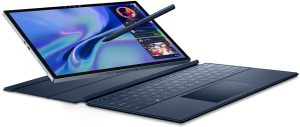
J3500 & J3400 Tablet PCs


Find all the resources you need to support your Motion J3500 or J3400 Tablet PC including:

- User documentation
- Software and driver downloads
- Knowledge base articles
- Product specifications

J-Series Tablet PCs  

Technical Support


Live Chat Online
1-866-322-9783, option 9. 7am-8pm M-F CST. Or fill out the support email form.
Customer Care (non-technical only):
1-866-622-7340 8am-6pm M-F CST. Or email at customercare@motioncomputing.com


Downloads Knowledge Base Specifications

J-Series Tablet PC - Knowledge Base Articles


J3500 and J3400 Tablet PCs
Q10723 - INFO: Win Magic
Q10724 - INFO: BitLocker Pre-Boot Pen Support
Q10722 - INFO: Using the C/J-Series Battery Charger
Q10721 - INFO: Motion Connection Manager Compatibility
Q10720 - HOWTO: How To Change The Language Layout Of A Keyboard
Q10718 - HOWTO: How To Pair a Bluetooth Keyboard
Q10717 - FIX: QuickNav Photos Have Incorrect Orientation
Q10716 - INFO: Motion Training Information
Q10715 - INFO: Motion Training Information
Q10711 - FIX: Tablet fails to resume from Hibernate
Q10710 - FIX: Projector not recognized by Intel GFX Driver
Q10709 - FIX: BSOD occurs while resuming from S3
Q10705 - INFO: Power Consumption Rate
Q10704 - INFO: Adjusted Peak Performance (APP)
Q10700 - HOWTO: NumLock Function on Mobile Keyboards
Q10699 - FIX: J-Series FlexDock Ethernet Connection Issue
Q10698 - INFO: Softex OmniPass Support Portal
Q10693 - HOWTO: MCM Language Support
Q10692 - INFO: Certification for use in hazardous environments
Q10688 - FIX: Microsoft Security Warning displayed in Internet Explorer
>>> See All J3500 Knowledge Base Articles
>>> See All J3400 Knowledge Base Articles


Back to Main Support Page

> Top of Page


Search the
Knowledge Base


Search the Knowledge Base

RSS Feed - Latest 50 KB Articles   RSS - KB Latest 50